System integration: software that talks.
System integration connects the software a business already runs, so a record created in one place appears everywhere it is needed. Helmsman connects accounting packages, store software, portals and spreadsheets, and builds APIs, the agreed ways one system asks another for data and sends it, where none exist, so an order entered once reaches invoicing, stock and the dashboard on its own.
From $3,000Typically $3,000 to $80,000See pricing
Last updated
Who needs system integration?
You probably need it if…
- Someone's job is copying data from one system into another.
- Accounts and the store software disagree, and nobody knows which one is right.
- The online store sells items that are no longer on the shelf.
- Management reports are stitched together from exports of several systems.
- A partner or a new product needs your data, and the only answer is a spreadsheet by email.
What does system integration include?
- 01
Accounting integration
Operations and books, connected
Your operations system linked to the accounting software you keep, so every transaction reaches the books without being typed again.
- 02
E-commerce & stock
Selling what is on the shelf
Online stores connected to real stock and pricing, so an order reduces stock and a price is changed in one place.
- 03
Payments & receivables
Money matched to invoices
Payment gateways connected to your receivables, so what was paid is matched to what was billed.
- 04
Attendance & payroll
From the punch to the payslip
Biometric attendance machines connected to payroll, so hours worked arrive without a spreadsheet in between.
- 05
Portals & partners
Customers and dealers, linked to the order book
Customer and dealer portals connected to the systems behind them, so what a customer sees is what your business actually has.
- 06
API development
Clear rules for sharing data
Well-defined APIs that let your own systems, your partners' systems and new products exchange data safely, with clear rules on what each one can read and change.
- 07
Monitoring & alerts
Failures that announce themselves
If a connection stops, someone is told at once, instead of finding the gap at month-end.
How does Helmsman deliver system integration?
The full approachIntegration starts by tracing how information moves today: which system holds customers, products and prices, who copies what into where, and where the numbers stop agreeing. Helmsman agrees one owner for each record before anything is connected, and tidies duplicates and old records first, because connecting two systems also connects their mistakes.
Where a system already offers an API, Helmsman uses it. Where it does not, one is built, or the data is moved on a schedule. Connections are added one at a time and checked against real transactions, and each one reports its own failures. Your existing tools stay in place, and people stop being the link between them.
- 01UnderstandProcess map
- 02AnalyseRequirement document
- 03ArchitectSolution structure
- 04DesignScreens and flows
- 05DevelopWorking software
- 06ImplementLive system
- 07EvolveOngoing support

One till system, country by country
A retail point of sale for shops in Southern Africa: tills that keep selling offline, a head office that sees every shop, and fiscal tax compliance.

Attendance in, payslips out
An HRMS for a multi-company group in India: biometric attendance, leave, payroll, loans and roles in one system.
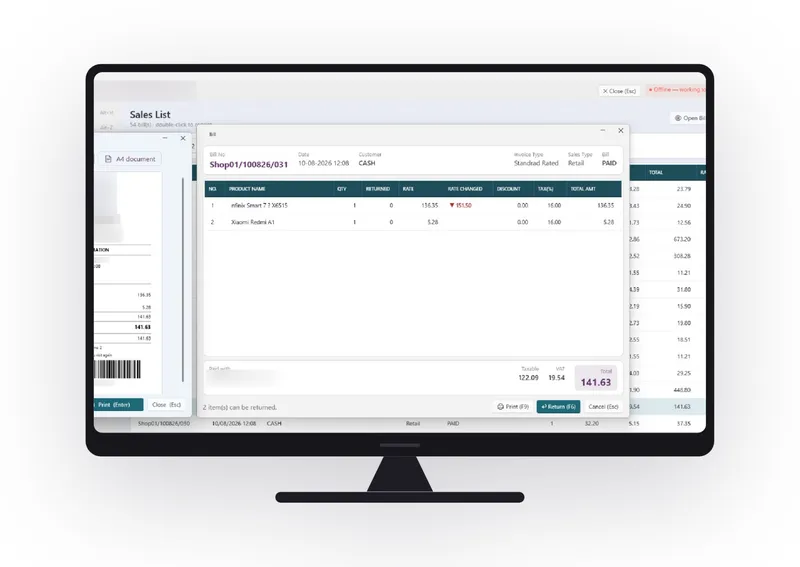
Retail billing, and the numbers behind it
A multi-store electronics retailer in the UAE, with a point of sale built to run the counter and answer head office.
Industries we build this for
Integration questions, answered.
What is system integration?
System integration is connecting separate pieces of software so they share information on their own. An order entered in one system raises the invoice in another, updates stock and reaches the management dashboard, without anyone typing it again.
What is an API?
An API is an agreed way for two pieces of software to ask each other for information and send it, without a person copying it across. Helmsman uses the APIs your software already has and builds new ones where they are missing.
Do we have to replace our existing software to connect it?
No. Integration keeps the tools that work and removes the re-typing between them. Replacement is only worth considering for software that has aged out and cannot share its data at all.
Can you connect software that has no API?
Usually, yes. If the software can export or import data, information can be moved between systems on a schedule. If it cannot share data in any form, it may be a candidate for modernisation.
Can we keep our accounting software and connect it to a new system?
Yes. A common approach is to keep the accounting software and connect the operational system to it, so every transaction reaches the books on its own.